• Αφγανιστάν(USD $)
  • Νησιά Άλαντ(EUR €)
  • Αλβανία(ALL L)
  • Αλγερία(DZD د.ج)
  • Αμερικάνικη Σαμόα(USD $)
  • Ανδόρα(EUR €)
  • Αγκόλα(USD $)
  • Ανγκουίλα(XCD $)
  • Ανταρκτική(USD $)
  • Αντίγκουα και Μπαρμπούντα(XCD $)
  • Αργεντίνη(USD $)
  • Αρμενία(AMD Դ)
  • Αρούμπα(AWG ƒ)
  • Νησί της Ανάληψης(SHP £)
  • Αυστραλία(AUD AU$)
  • Αυστρία(EUR €)
  • Αζερμπαϊτζάν(AZN ман)
  • Μπαχάμες(BSD BSD)
  • Μπαχρέιν(BHD .د.ب)
  • Μπαγκλαντές(BDT ৳)
  • Μπαρμπάντος(BBD BBD)
  • Λευκορωσία(USD $)
  • Βέλγιο(EUR €)
  • Μπελίζ(BZD Be)
  • Μπενίν(XOF Fr)
  • Βερμούδα(BMD BD$)
  • Μπουτάν(BTN Nu.)
  • Βολιβία(BOB Bs.)
  • Βοσνία και Ερζεγοβίνη(BAM КМ)
  • Μποτσουάνα(BWP P)
  • Νησί Μπουβέ(USD $)
  • Βραζιλία(USD $)
  • Βρετανική επικράτεια Ινδικού Ωκεανού(USD $)
  • Μπρουνέι(BND B$)
  • Βουλγαρία(BGN лв)
  • Μπουρκίνα Φάσο(XOF Fr)
  • Μπουρούντι(BIF ₣)
  • Καμπότζη(KHR ៛)
  • Καμερούν(XAF ₣)
  • Καναδάς(CAD $)
  • Πράσινο Ακρωτήριο(CVE $)
  • Νησιά Κέιμαν(KYD $)
  • Δημοκρατία Κεντρικής Αφρικής(XAF ₣)
  • Τσαντ(XAF ₣)
  • χιλή(USD $)
  • Κίνα(CNY ¥)
  • Νησί των Χριστουγέννων(AUD AU$)
  • Νησιά Cocos (Keeling).(AUD AU$)
  • Κολομβία(USD $)
  • Κομόρες(KMF Fr)
  • Κονγκό-Μπραζαβίλ(XAF ₣)
  • Κονγκό-Κινσάσα(CDF ₣)
  • Νησί(NZD $)
  • Κόστα Ρίκα(CRC ₡)
  • Ακτή Ελεφαντοστού(XOF Fr)
  • την Κροατία(EUR €)
  • Κύπρος(EUR €)
  • Τσεχική Δημοκρατία(CZK Kč)
  • Δανία(DKK kr)
  • Τζιμπουτί(DJF ₣)
  • Δομίνικα(XCD $)
  • Δομινικανή Δημοκρατία(DOP $)
  • Εκουαδόρ(USD $)
  • Αίγυπτος(EGP E£)
  • Σαλβαντόρ(USD $)
  • Ισημερινή Γουινέα(XAF ₣)
  • Ερυθραία(ERN Nfk)
  • Εσθονία(EUR €)
  • Αιθιοπία(ETB Br)
  • Νησιά Φώκλαντ(FKP FKP)
  • Νήσοι Φερόες(DKK kr)
  • Φίτζι(FJD FJ$)
  • Φινλανδία(EUR €)
  • Γαλλία(EUR €)
  • Γαλλική Γουιάνα(EUR €)
  • Γαλλική Πολυνησία(XPF ₣)
  • Γαλλική Νότια Επικράτεια(EUR €)
  • Γκαμπόν(XOF Fr)
  • Γκάμπια(GMD D)
  • Γεωργία(USD $)
  • Γερμανία(EUR €)
  • Γκάνα(GHS ₵)
  • Γιβραλτάρ(GBP £)
  • Ελλάδα(EUR €)
  • Γροιλανδία(DKK kr)
  • Γρενάδα(XCD $)
  • Γουαδελούπη(EUR €)
  • Γκουάμ(USD $)
  • Γουατεμάλα(GTQ Q)
  • Γκέρνσεϊ(GBP £)
  • Γκινέα(GNF ₣)
  • Γουινέα-Μπισάου(XOF Fr)
  • Γουιάνα(GYD $)
  • Αΐτη(USD $)
  • Νήσοι Χερντ και Μακ Ντόναλντ(AUD AU$)
  • Ονδούρα(HNL L)
  • Χονγκ Κονγκ ΕΔΠ(HKD HK$)
  • Ουγγαρία(HUF Ft)
  • Ισλανδία(ISK Kr)
  • Ινδία(INR ₹)
  • Ινδονησία(IDR Rp)
  • Ιράκ(USD $)
  • Ιρλανδία(EUR €)
  • Isle of Man(GBP £)
  • Ισραήλ(ILS ₪)
  • Ιταλία(EUR €)
  • Ιαμαϊκή(JMD $)
  • Ιαπωνία(JPY ¥)
  • Φανέλα(GBP £)
  • Ιορδανία(USD $)
  • Καζακστάν(KZT 〒)
  • Κενύα(KES Sh)
  • Κιριμπάτι(AUD AU$)
  • Νότια Κορέα(KRW ₩)
  • Κουβέιτ(KWD دينار)
  • Κιργιζιστάν(KGS С̲)
  • Λάος(LAK ₭)
  • Λετονία(EUR €)
  • Λίβανος(LBP ل.ل)
  • Λεσότο(USD $)
  • Λιβερία(USD $)
  • Λιβύη(USD $)
  • Λιχτενστάιν(CHF ₣)
  • Λιθουανία(EUR €)
  • Λουξεμβούργο(EUR €)
  • Μακάο ΕΔΠ(MOP P)
  • Βόρεια Μακεδονία(MKD ден)
  • Μαδαγασκάρη(USD $)
  • Μαλάουι(MWK MK)
  • Μαλαισία(MYR RM)
  • Μαλδίβες(MVR ރ.)
  • Μάλι(XOF Fr)
  • Μάλτα(EUR €)
  • Νήσοι Μάρσαλ(USD $)
  • Μαρτινίκα(EUR €)
  • Μαυριτανία(USD $)
  • Μαυρίκιος(MUR ₨)
  • Μαγιότ(EUR €)
  • Μεξικό(USD $)
  • Μικρονησία(USD $)
  • Μολδαβία(MDL L)
  • Μονακό(EUR €)
  • Μογγολία(MNT ₮)
  • Μαυροβούνιο(EUR €)
  • Μονσεράτ(XCD $)
  • Μαρόκο(MAD د.م.)
  • Μοζαμβίκη(USD $)
  • Μιανμάρ (Βιρμανία)(MMK K)
  • Ναμίμπια(USD $)
  • Ναούρου(AUD AU$)
  • Νεπάλ(NPR ₨)
  • Ολλανδία(EUR €)
  • Ολλανδικές Αντίλλες(USD $)
  • Νέα Καληδονία(XPF ₣)
  • Νέα Ζηλανδία(NZD $)
  • Νικαράγουα(NIO C$)
  • Νίγηρας(XOF Fr)
  • Νιγηρία(NGN ₦)
  • Niue(NZD $)
  • Νησί Νόρφολκ(AUD AU$)
  • Βορεια Νησια Μαριανα(USD $)
  • Νορβηγία(USD $)
  • Ομάν(OMR ر.ع.)
  • Πακιστάν(PKR ₨)
  • Παλάου(USD $)
  • παλαιστινιακά εδάφη(ILS ₪)
  • Παναμάς(USD $)
  • Παπούα Νέα Γουινέα(PGK K)
  • Παραγουάη(PYG ₲)
  • Περού(PEN S/)
  • οι Φιλιππίνες(PHP ₱)
  • Νησιά Πίτκερν(NZD $)
  • Πολωνία(PLN zł)
  • Πορτογαλία(EUR €)
  • Πουέρτο Ρίκο(USD $)
  • Κατάρ(QAR ر.ق)
  • Επανένωση(EUR €)
  • Ρουμανία(RON L)
  • Ρωσία(RUB р.)
  • Ρουάντα(RWF ₣)
  • Σαμόα(WST T)
  • Σαν Μαρίνο(EUR €)
  • Σάο Τομέ και Πρίνσιπε(USD $)
  • Σαουδική Αραβία(SAR ر.س)
  • Σενεγάλη(XOF Fr)
  • Σερβία(RSD din)
  • Σεϋχέλλες(USD $)
  • Σιέρρα Λεόνε(SLL Le)
  • Σιγκαπούρη(SGD S$)
  • Σλοβακία(EUR €)
  • Σλοβενία(EUR €)
  • Νησιά του Σολομώντα(SBD Si$)
  • Σομαλία(SOS Sh)
  • Νότια Αφρική(USD $)
  • Νότια Γεωργία και τα Νότια Σάντουιτς Νησιά(GBP £)
  • Ισπανία(EUR €)
  • Σρι Λάνκα(LKR Rs)
  • Άγιος Μαρτίνος(EUR €)
  • Αγία Ελένη(SHP £)
  • Saint Kitts and Nevis(XCD $)
  • Αγία Λουκία(XCD $)
  • Saint Pierre and Miquelon(EUR €)
  • Άγιος Βικέντιος και Γρεναδίνες(XCD $)
  • Σουδάν(SDG ج.س.)
  • Σουρινάμ(USD $)
  • Svalbard και Jan Mayen(USD $)
  • Εσβατίνι(USD $)
  • Σουηδία(SEK kr)
  • Ελβετία(CHF ₣)
  • Ταϊβάν(TWD NT$)
  • Τατζικιστάν(TJS ЅМ)
  • Τανζανία(TZS Sh)
  • Ταϊλάνδη(THB ฿)
  • Ανατολικό Τιμόρ(USD $)
  • Να πάω(XOF Fr)
  • Τοκελάου(NZD $)
  • Τόνγκα(TOP T$)
  • Τρινιντάντ και Τομπάγκο(TTD TTD)
  • Τριστάν ντα Κούνια(GBP £)
  • Τυνησία(USD $)
  • Τουρκία(USD $)
  • Τουρκμενιστάν(TMT m)
  • Νήσοι Τερκς και Κάικος(USD $)
  • Τουβαλού(AUD AU$)
  • Ουγκάντα(UGX Sh)
  • Ουκρανία(UAH ₴)
  • Ηνωμένα Αραβικά Εμιράτα(AED د.إ)
  • ΗΝΩΜΕΝΟ ΒΑΣΙΛΕΙΟ(GBP £)
  • Αμερική(USD $)
  • Απομακρυσμένα νησιά των ΗΠΑ(USD $)
  • Ουρουγουάη(UYU $)
  • Ουζμπεκιστάν(UZS лв)
  • Βανουάτου(VUV Vt)
  • Η πόλη του Βατικανού(EUR €)
  • Βενεζουέλα(USD $)
  • Βιετνάμ(VND ₫)
  • Παρθένοι Νήσοι, Η.Π.Α.(USD $)
  • Οι Βρετανικές Παρθένοι Νήσοι(USD $)
  • Νησιά Wallis και Futuna(XPF ₣)
  • Δυτική Σαχάρα(MAD د.م.)
  • Γέμενη(YER ﷼)
  • Ζάμπια(USD $)
  • Ζιμπάμπουε(USD $)
/ /

How to Clean and Service Your Gobo Projector

Nov 22,2024 | JINGYU OPTOELEC
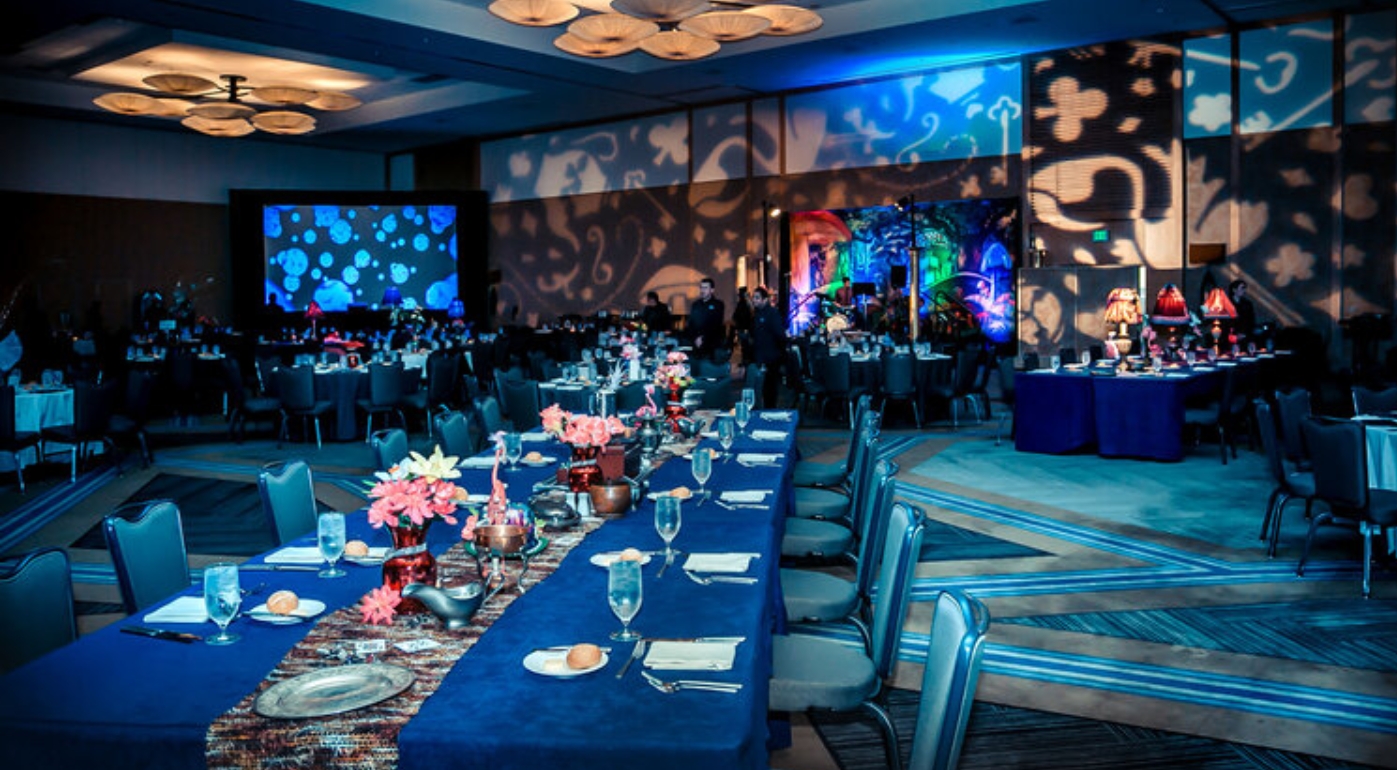
 
Gobo projectors can last many years if properly cared for and maintained. Anyone with basic mechanical and technical skills can remedy most projector problems through careful cleaning and inspection. To avoid causing damage, however, it’s important to follow the recommended steps for your projector model. (Please note that Gobofactory does not accept responsibility for unit failure or personal injury due to cleaning or repairs attempted incorrectly.)


Below we share step-by-step instructions on how to clean gobo projectors, both interior and exterior models. For projectors that are exposed to a high amount of dust and dirt, such as a warehouse or exterior installation, the following steps should be performed every 1-3 months. In a low-dust environment, such as an office or retail space, cleaning is necessary only every 1-2 years.


We’ve also shared a gobo projector troubleshooting cheat sheet for common gobo projector problems below the full cleaning instructions.


How to Clean the ECO Spot Interior LED10, C-25, C40/40+, C60/60+, B90 and B150 Gobofactory Projectors:


  1. Always unplug the ECO Spot Gobo Projector and let it cool down before cleaning or maintenance.
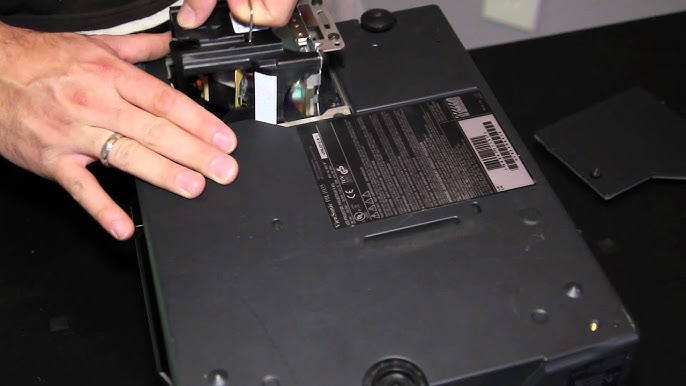
  2. Unscrew 4-8 screws (depending on the model) on the outside perimeter of the backplate with a Phillips screwdriver.
  3. Carefully take out your retaining ring for your gobo followed by your gobo. Clean the gobo with a fine microfiber cloth.
  4. After the backplate is unscrewed, carefully pull the projector straight back out of the aluminum projector housing. It should slide straight out along the side rails.
  5. Clean the projector by blowing out the dust from the fans and heat sink with compressed air. Prevent the fan blades from spinning at high speed when using air, as this may damage the bearings. Gently blow dust from other parts.
  6. Clean inside and outside of the aluminum housing with a damp rag or paper towel and wipe dry.
  7. Visually inspect your projector for any signs of damage. Wire damage is most important to look for, as a bad wire can cause the projector to malfunction.
  8. Now inspect the gobo and clean if necessary. The non-reflective side should only be wiped with a dry and clean microfiber cloth, while the reflective side can be cleaned with glass-safe solvent if needed.
  9. The lens should also be cleaned. To remove the lens, simply loosen the lock ring and turn the lens counterclockwise. Thoroughly clean it with a microfiber cloth, and re-screw the lens into the faceplate. It will need to be re-focused later.
  10. When done, slide the projector back into the projector housing by lining up the two side slots on the front with the two slider rails. Slide straight forward until it’s all the way in place.
  11. Carefully screw in the backplate screws, making sure not to strip them. Once the backplate is tight, the gobo projector is successfully reassembled.
     

    Download a PDF version with visuals for LED10, C-25, C40/40+, and C60/60+ here.

    Download a PDF version with visuals for LEDB90 and B150 here.

    How to Clean Exterior Gobofactory Projector Models:


    1. Always unplug the ECO Spot Gobo Projector and let it cool down before cleaning or maintenance.
    2. Unscrew 4-8 thumb screws on the faceplate. Be careful not to lose your rubber seals and washers.
    3. Carefully take out your retaining clip for your gobo followed by your gobo. Clean the gobo with a fine microfiber cloth.
    4. Clean the front of the projector by blowing out the dust from the gobo holder assembly using compressed air. Then blow out the back of the unit through the fan air slots, removing as much dust from the mesh cage as possible.
    5. Clean the outside of the aluminum housing with a damp rag or paper towel and wipe dry.
    6. Visually inspect your projector for any signs of damage. Wire damage is most important to look for, as a bad wire can cause the projector to malfunction.
    7. Now inspect the gobo and clean if necessary. The non-reflective side should only be wiped with a dry and clean microfiber cloth, while the reflective side can be cleaned with glass-safe solvent if needed.
    8. The lens should also be cleaned. To remove the lens, simply loosen the lock ring and turn the lens counterclockwise. Thoroughly clean it with a microfiber cloth, and re-screw the lens into the faceplate. It will need to be re-focused later.
    9. When done, put the faceplate back on using the rubber seals, washers, and thumb screws.

    Gobo Projector Troubleshooting Cheat Sheet:


    Problem Cause Solution
    Projector gets louder or shuts off mid-use Dust build-up, fan failure Cleaning step #5 (interior); #4 (exterior)
    Specks, smudges, or other blemishes on the projected image Dirty gobo or lens Cleaning steps #8 & #9 (interior); #7 & #8 (exterior)
    After servicing, the projected image is uneven, darker, and hard to focus Misaligned front plate Check if the lens is in line with the gobo, if not, rotate the front plate 180 degrees

    It’s our goal to ensure your projector functions at its best over its entire lifespan, so if you have any questions about cleaning your Gobofactory projector, reach out to customer service at 86 13456752363 for assistance.

Σχόλιο

Όνομα
Ταχυδρομείο
Σχόλιο