How to Create Water Ripple Effect with Gobo Light
Mar 20,2026 | JINGYU OPTOELEC
Creating a water effect gobo is simple—even if you’re new to gobo lighting and have no prior experience with lighting equipment. You don’t need professional skills, complex tools, or expensive accessories; just follow these clear, step-by-step instructions to get realistic, calming water effect projections easily.
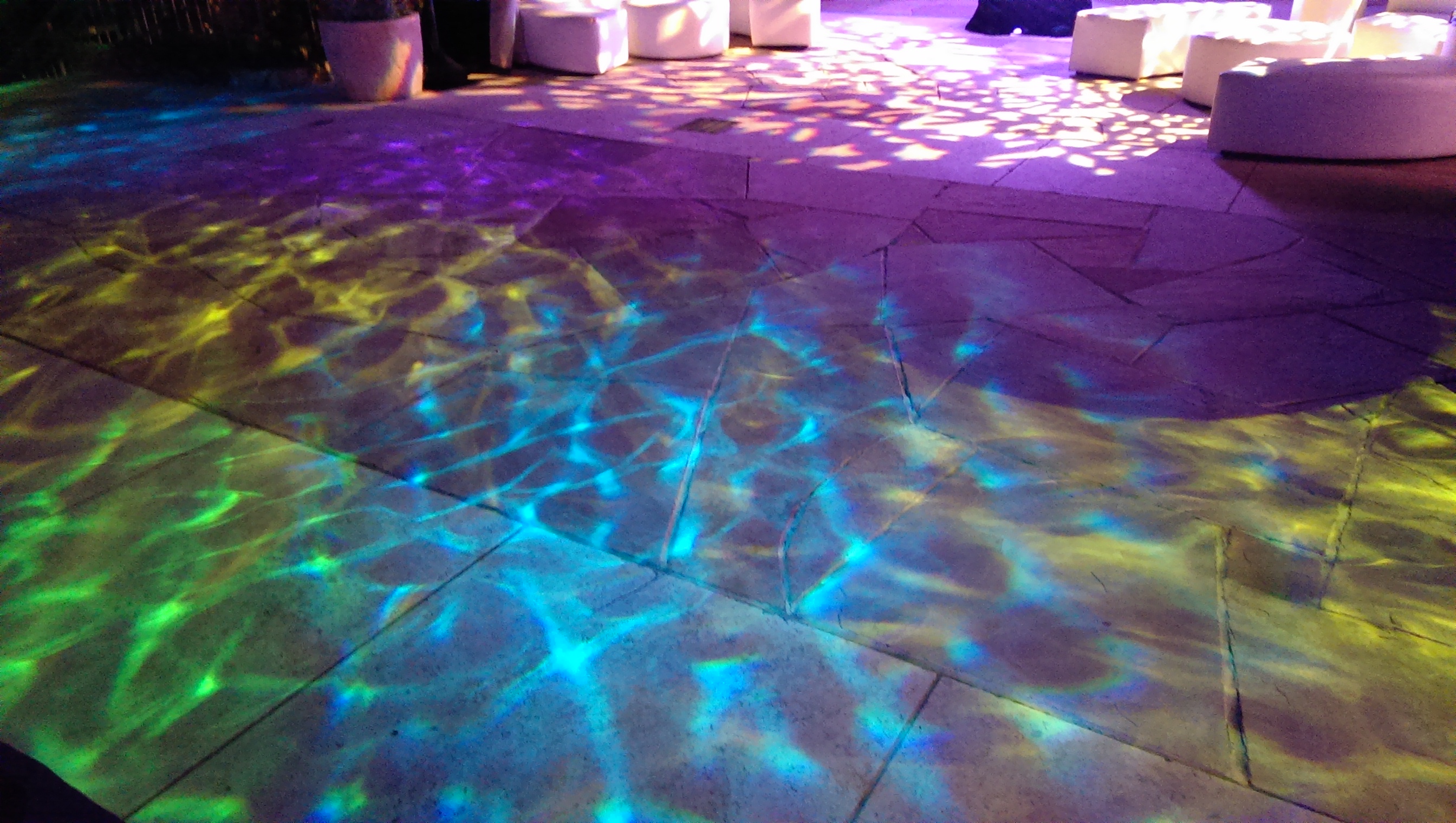
The water effect produced by a gobo light mimics the natural movement of water, such as gentle ripples on a lake or soft waves in a pool, and it’s widely used in restaurants, hotels, weddings, home decor, and commercial spaces for its elegant and relaxing vibe. Unlike dedicated water effect lamps, a gobo light offers more flexibility—you can switch the gobo disc to create other effects (like logos, patterns) whenever you want, making it a cost-effective choice for beginners.![]()
Prepare the Right Gobo Light & Accessories
First, you need two key things (no extra fancy equipment—these are the only essentials to get a clear, stable water effect):
Choose LED Gobo Light (Best for Beginners)
A gobo light: LED gobo lights are highly recommended for beginners, and here’s why—they are energy-saving (use 60% less power than traditional halogen gobo lights), cool to the touch (no risk of burns when installing the gobo), and bright enough for most indoor and small outdoor spaces.
Choose a basic model with rotation function (critical for moving water effect) and adjustable brightness; avoid cheap non-LED models, as they heat up quickly, damage gobo discs, and have a short lifespan (usually less than 10,000 hours, compared to 50,000+ hours for LED).
Pick the Right Water Effect Gobo
A water effect gobo: This is a thin, flat disc (usually made of glass or plastic—two common materials for beginners) with a water effect pattern printed or etched on it. It’s the core part that creates the water effect—without it, a gobo light can only project plain light or other patterns.
Glass gobos are more durable, heat-resistant, and produce sharper projections, while plastic gobos are cheaper, lighter, and easier to replace. You can buy pre-made water effect gobos online or in lighting stores, and they come in different sizes (match the size to your gobo light—most beginner models use 25mm or 30mm gobos; check the light’s manual to avoid mismatch).
Install the Water Effect Gobo into the Gobo Light
Installing the gobo is straightforward—think of it like putting a CD into a CD player, but with a few small safety steps to avoid damaging the gobo or the light:
Step 1: Turn Off & Cool Down the Light (Safety First)
1. Turn off the gobo light and unplug it (critical safety step!). If the light was on for more than 5 minutes, let it cool down for 10-15 minutes—LED lights stay cool, but some older models may still get warm, and touching a hot gobo slot can damage the gobo or burn your fingers.
Step 2: Locate the Gobo Slot
2. Locate the gobo slot: Most gobo lights have a small, removable door (usually on the side or back of the light body) labeled “Gobo” or with a small icon. If you can’t find it, check the light’s user manual—every gobo light has a dedicated slot for the gobo disc, and it’s impossible to install it incorrectly if you follow the manual.
Step 3: Insert the Water Effect Gobo Correctly
3. Place the water effect gobo into the slot: Most gobos have a small notch or flat edge that aligns with the slot (this ensures the pattern faces the right direction). The pattern side (the one with the water effect design) should face the light source inside the gobo light—if you put it backwards, the projection will be blurry or upside down. Gently push the gobo into the slot until it clicks into place (don’t force it—if it doesn’t fit, check the size or alignment).
Step 4: Close the Slot & Power On
4. Close the gobo slot door tightly, plug the light back in, and you’re ready to adjust the settings. This step takes less than 2 minutes, even for complete beginners—no tools required.
Adjust the Gobo Light to Get the Perfect Water Effect
Once the gobo is installed, tweaking 3 simple settings (all on the light itself or its remote control) will help you get the exact water effect you want. These settings are designed for beginners—no technical knowledge needed, and you can experiment until it looks right:
Adjust Projection Distance (Control Size & Clarity)
Projection Distance: The distance between the gobo light and the surface (wall, floor, ceiling) directly affects the size and clarity of the water effect. Move the light closer to the surface (1-3 meters) for a smaller, more detailed water effect—this is great for small spaces like restaurant tables or home bedrooms. Move it farther away (3-8 meters) for a larger, softer water effect—ideal for big spaces like hotel lobbies, wedding venues, or storefronts. For best results, keep the light at a straight angle to the surface (avoid tilting it too much, as this will distort the water effect).
Set Rotation Speed (Make Water Effect Realistic)
Rotation Speed: This is the key setting to make the water effect look real. Most gobo lights have a “Rotation” button (usually labeled “Rot” or with a circular arrow icon)—press it to turn on the rotation function, which makes the water effect move like real water. Adjust the speed using the “+” or “-” buttons: slow speed (1-2 rotations per minute) creates calm, gentle ripples (perfect for spas, restaurants, or bedrooms), while fast speed (3-5 rotations per minute) creates lively, dynamic waves (great for parties, events, or commercial displays). If your light doesn’t have a rotation function, the water effect will be static—still beautiful, but not as realistic as moving water.
Tweak Brightness & Color (Enhance Realism)
Brightness & Color: Adjusting brightness and color will enhance the realism of the water effect. Dim the light (30-50% brightness) for a warm, cozy vibe—this works well for restaurants, bars, or romantic settings like weddings. For a more realistic water look, use cool white or blue light (most LED gobo lights have RGB color options, so you can choose light blue for a pool-like effect or deep blue for an ocean-like effect). Avoid warm colors like red or yellow, as they won’t look like natural water. If the room is bright (e.g., near a window), turn up the brightness to ensure the water effect is visible.
Pro Tips for Beginners (Avoid Common Mistakes & Get Better Results)
Use a Smooth Projection Surface
Use a smooth surface (wall, floor, or ceiling) for the clearest water effect—rough surfaces (like textured walls, carpet, or concrete with cracks) will blur the pattern and make the water effect look distorted. If you only have a rough surface, place a white sheet or a smooth panel in front of it to project onto—this is a cheap, easy fix for beginners.
Don’t Overdo Rotation Speed
If you want a “moving water effect” look, don’t skip the rotation setting—it’s what makes the water effect feel real and dynamic. Static water effect is fine for simple decor, but rotation takes it to the next level. Also, avoid setting the rotation speed too fast (more than 5 rotations per minute), as it will make the water effect look chaotic and unnatural.
Outdoor Use: Choose Waterproof Equipment
- For outdoor use, choose a waterproof gobo light (IP65+ rating) and a water-resistant gobo (glass gobos are better than plastic for outdoor use, as they can withstand rain and temperature changes). Avoid using non-waterproof lights outdoors—rain or moisture will damage the internal components and short-circuit the light. Also, position the light away from direct sunlight, as bright sunlight will make the water effect hard to see.
Maintain Your Gobo & Gobo Light
Maintain your gobo and gobo light: After use, turn off the light and let it cool down before removing the gobo. Wipe the gobo disc with a soft, dry cloth to remove dust (dust will blur the projection). Store the gobo in a dry, cool place to avoid scratches or damage. For LED gobo lights, no bulb replacement is needed—just keep the light clean to ensure long lifespan.
That’s it! With these 4 simple steps and pro tips, your gobo light will project a beautiful, realistic water effect in minutes—no professional experience needed. This method is tried and tested, and it works for all beginner-friendly gobo lights on the market. The water effect is perfect for restaurants (to create a relaxing dining atmosphere), hotels (to elevate lobbies and corridors), weddings (for romantic photo backdrops), or even your home (to add a calming, elegant vibe to bedrooms or living rooms).
Best of all, since you’re using a gobo light, you can easily switch the water effect gobo to another pattern (like logos, holiday designs) whenever you want—making it a versatile, cost-effective lighting solution for any occasion.
Komen