Why Your Logo Projection Looks Blurry, Dim, or Crooked — and How to Fix It
Sep 17,2026 | JINGYU OPTOELEC
You unbox the projector, point it at the wall, and… the logo is soft, faint, or tilted at an angle. Before you blame the unit, know this: blurry, dim, or crooked projections are the three most common complaints in GOBO lighting — and in most cases they are setup or specification issues, not defects. Here are the real causes and the fixes that actually work.
1. Blurry or Soft Image
Most “blurry” projections were simply never focused. Start with the focus ring: rotate it slowly while viewing the image from the final mounting distance until the edges are crisp. If it’s still soft, inspect the lens — dust, fingerprints, or condensation scatter light and wash out detail. Wipe it with a microfiber cloth and an optical cleaner.
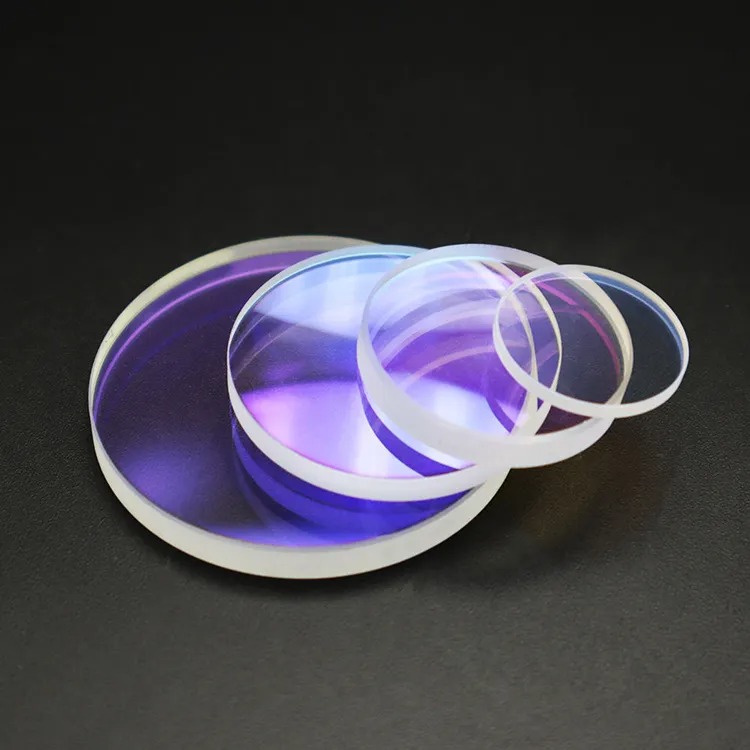
A deeper cause is a cheap plastic lens: LED heat warps plastic over weeks, so the image drifts out of focus and scratches easily. Quality units use glass optics that hold focus. If your artwork has fine detail (small text, gradients), use a glass gobo rather than steel, and confirm the projector’s resolution suits the design.
2. Too Dim to See (Especially Outdoors or in Daylight)
Brightness is the #1 disappointment. Two facts explain it. First, a wider-angle lens throws a bigger image but spreads the same light thinner, so it looks dimmer — a narrower lens is brighter but smaller. Second, ambient light always wins: a projector that looks great in a dark room can vanish in a lit storefront or direct sun.
Fixes: reduce the throw distance, aim away from direct sunlight or into shade, and match wattage to the environment. A 25W unit is plenty indoors at night, but open facades need 100W–300W. For permanent outdoor use, pick a weatherproof (IP67) high-power unit — see our outdoor projection options, including the 300W IP67 projector.
3. Image Is Crooked, Tilted, or Trapezoid (Keystone)
If the logo looks like a leaning trapezoid instead of a rectangle, the projector is mounted at an oblique angle to the surface. As a practical rule, angles beyond about 30 degrees cause visible keystone distortion. Re-aim the unit so the beam hits the wall more squarely. If the angle is unavoidable (a high ceiling mount), ask your supplier to keystone-correct the gobo artwork so the projected result lands straight.
4. Logo Projects Upside-Down or Backwards
This surprises everyone, but it’s normal: the projector’s optics flip the image both vertically and horizontally. The fix is to insert the gobo upside-down and backwards. If your logo still reads wrong, the slide was loaded in the wrong orientation — not a fault in the projector.
5. It Worked, Then Died After a Few Weeks
A unit that flickers, overheats, or dies fast is usually a cheap build: plastic lens, a weak power supply, and tiny heat sinks. Quality matters here. Look for glass optics, an aluminum housing for heat dissipation, a named LED (OSRAM or Cree) rated around 50,000 hours, and — for outdoor use — a true IP65 or IP67 rating, not a fake “waterproof” claim. A two-year warranty is a good signal of build confidence. Our customizable GOBO projectors are built with OSRAM LEDs and glass lenses for exactly this reason.
Get It Right the First Time
Most projection problems are fixable in minutes — focus, lens cleanliness, throw distance, and mounting angle solve the vast majority. For the rest, starting with a well-spec’d unit and the right gobo saves you from the cheap-unit trap. Need help matching a projector to your space? Explore our custom gobo collection or contact our team for a tailored recommendation.
Comment